Create Your First Roblox Game and Start Earning Robux
Most Roblox players spend Robux on games, avatar items, and exclusive content. But did you know that thousands of creators earn Robux by building their own games instead?
The good news is that you don’t need to be a professional game developer or programming expert to get started. Roblox Studio is free, beginner-friendly, and includes ready-made templates that make creating your first game much easier than most people imagine.
In this guide, you’ll learn how to create and publish your very first Roblox game from scratch—even if you’ve never built a game before. More importantly, this is the first step toward earning Robux as a Roblox creator.
Once your game is live, you’ll be ready to explore the official monetization methods that successful developers use to generate Robux from their experiences. We’ll show you exactly where to find those methods after your game is ready.
What Is Roblox Studio?
Roblox Studio is the official game development software provided by Roblox. It gives creators everything they need to build, test, and publish games that can be played by millions of users around the world.
Unlike many professional game engines, Roblox Studio was designed to be accessible for beginners. Its visual interface allows you to build maps by dragging and dropping objects, editing terrain, adding lighting effects, and customizing environments without needing advanced technical knowledge.
Best of all, Roblox Studio is completely free. Anyone with a Roblox account can download it and start creating immediately.
Some of the most popular types of games created with Roblox Studio include:
- Obby games
- Tycoon games
- Simulators
- Roleplay experiences
- Racing games
- Survival adventures
- Horror games
- PvP arenas
- Adventure worlds
Every successful Roblox developer started by learning the same basic tools you’ll use in your first project.
Download and Install Roblox Studio
Getting started only takes a few minutes.
Visit the official Roblox Creator website and download Roblox Studio for your computer. The software is available for both Windows and macOS.
After the installation finishes, sign in using your existing Roblox account. If you don’t already have one, you’ll need to create a free account before you can begin building games.
The first time Roblox Studio opens, it will automatically configure your workspace and display the home screen, where you can browse templates, previous projects, and educational resources.
Don’t worry if the interface looks overwhelming at first. Most beginner projects only use a small number of tools.
Choose a Template Instead of Starting From Scratch
Many beginners make the mistake of opening an empty map and trying to build everything manually.
A much better approach is to start with one of Roblox Studio’s built-in templates.
Templates already include important elements such as lighting, spawn locations, camera settings, and other configurations that save a significant amount of time.
Here are some excellent choices for your first project:
Obby
Obstacle courses are one of the easiest game types to create. You can build jumps, moving platforms, checkpoints, and fun challenges without creating complicated systems.
Racing
If you enjoy vehicle games, the Racing template provides a great foundation for building tracks and multiplayer competitions.
Village
Perfect for roleplay experiences or social games where players can explore buildings and interact with the environment.
Survival
These templates usually include natural environments that are ideal for adventure games.
Baseplate
If you prefer complete creative freedom, choose the Baseplate template and build your world from the ground up.
Starting with a template lets you focus on learning how Roblox Studio works instead of spending hours configuring basic settings.
Customize Your First Game
Now comes the fun part—making the game your own.
Roblox Studio includes a feature called the Toolbox, which contains thousands of free models, decorations, sounds, and effects created by Roblox and the community.
You can easily add:
- Trees
- Buildings
- Roads
- Vehicles
- Bridges
- Mountains
- Furniture
- NPCs
- Decorative objects
- Sound effects
- Lighting effects
- Particle effects
Every object can be moved, resized, rotated, duplicated, or deleted using simple editing tools.
As you gain confidence, you’ll also discover features like terrain sculpting, custom lighting, weather effects, animations, and environmental details that make your game look more professional.
A common beginner mistake is filling the map with random assets. Instead, choose a consistent theme so your game feels polished and enjoyable to explore.
Do You Need to Learn Lua Programming?
The short answer is no.
Many creators publish their first Roblox games without writing a single line of code.
Thanks to templates, built-in game mechanics, and community assets, it’s possible to create enjoyable experiences using mostly visual tools.
However, learning Lua later will allow you to build much more advanced features, including:
- Inventories
- Custom abilities
- Pets
- Quests
- Daily rewards
- Leaderboards
- Progression systems
- Unique gameplay mechanics
Think of Lua as the next step in your journey—not something that should stop you from creating your first game today.
Test Everything Before Publishing
Before sharing your game with other players, spend time testing every area carefully.
Play through your experience as if you were a first-time visitor.
Ask yourself questions such as:
- Is it clear what players should do?
- Can anyone become stuck?
- Do checkpoints work correctly?
- Is the map easy to navigate?
- Does the game feel fun during the first few minutes?
If possible, invite friends to test your game as well.
Fresh eyes often discover problems that you might overlook after working on the same project for hours.
Fixing bugs before publishing creates a much better first impression for new players.
Publish Your First Roblox Game
Once you’re satisfied with your project, publishing is simple.
Open the File menu and select Publish to Roblox.
You’ll then be asked to provide:
- A game title
- A description
- A game icon
- A thumbnail
- Privacy settings
- Supported devices
Take your time choosing a good title and thumbnail. These are often the first things players notice when browsing Roblox, and they can significantly influence whether someone decides to try your game.
After publishing, your game becomes available on Roblox and can start attracting players from around the world.
Congratulations—you are now officially a Roblox creator.
Tips to Help Your First Game Grow
Publishing your game is only the beginning.
Most successful Roblox experiences improve over time through regular updates and player feedback.
Here are a few habits that can help your game attract more players:
- Update your game regularly with new content.
- Fix bugs as quickly as possible.
- Use an attractive thumbnail and icon.
- Write a clear and engaging game description.
- Listen to player feedback.
- Keep the first few minutes simple and enjoyable.
- Add clear objectives so players know what to do.
- Avoid overwhelming new players with too many mechanics.
Even small improvements can increase player retention and encourage visitors to return after future updates.
Your Game Is Live… Now It’s Time to Earn Robux
Creating your first Roblox game is an exciting achievement, but publishing it is only the first step.
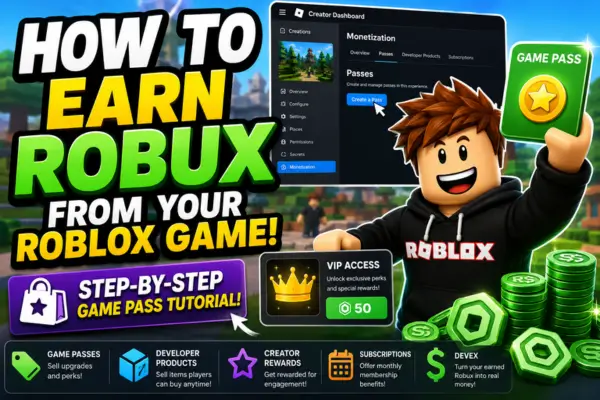
A game doesn’t automatically generate Robux just because it’s online. Successful creators use official Roblox monetization features to turn active players into Robux earnings.
These methods include Game Passes, Developer Products, Creator Rewards, subscriptions, and other tools designed specifically for developers.
The good news is that you don’t need to be a famous developer or have millions of players before learning how these systems work.
Continue with our complete guide, “How to Earn Robux from Your Roblox Game,” where you’ll discover the official ways creators monetize their games, increase their earnings, and build successful Roblox experiences.
Frequently Asked Questions
Is Roblox Studio free?
Yes. Roblox Studio is completely free to download and use. Anyone with a Roblox account can start creating games.
Can I create a Roblox game without coding?
Absolutely. Many beginner games are built using templates, visual tools, and free community assets without requiring programming knowledge.
Can I create Roblox games on a mobile phone?
No. Roblox Studio currently runs only on Windows and macOS computers.
How long does it take to create a game?
A simple game can be built in a few hours, while larger and more detailed experiences may take weeks or months to complete.
Can kids create Roblox games?
Yes. Roblox Studio is widely used by young creators who want to learn game design, creativity, and programming. Younger users should have appropriate supervision when publishing games online.
Every popular Roblox game started as a simple idea.
Don’t worry if your first project isn’t perfect. The goal is to learn how Roblox Studio works, publish your first experience, and improve with every update you release.
The more you build, experiment, and listen to player feedback, the better your games will become.
And once your first game is live, you’ll be ready for the next exciting step: learning how to turn your creativity into Robux using Roblox’s official monetization features. That’s exactly what we’ll cover in the next guide.